Remove Geotags from Photos: Protect Your Location Privacy with a Metadata Remover
In the age of digital sharing, a picture is worth a thousand words—and sometimes, it shares a thousand data points you never intended. We post photos of our vacations, our homes, and our families to connect with others, but what if these images are revealing our most sensitive secrets? The convenience of sharing memories online comes with a hidden privacy dilemma. Can photos reveal your location? The short answer is a resounding yes, and understanding this risk is the first step toward reclaiming your digital privacy. This guide will demystify the hidden location data in your photos and show you how to easily remove metadata like geotags from photos before you share them.
What Exactly Are Geotags in Your Photos?
A geotag is a piece of electronic information that links a photograph to a specific geographical location on Earth. Think of it as a digital fingerprint that stamps your exact coordinates onto every picture you take. This data is part of a larger set of information called metadata, or more specifically, EXIF (Exchangeable Image File Format) data, which is automatically embedded in your image files. Understanding this data is the first step before you remove metadata to protect your privacy.
How Location Data Ends Up in Your Digital Images
Most modern smartphones and digital cameras are equipped with a built-in Global Positioning System (GPS). When you take a picture, this GPS function automatically records the precise latitude and longitude where the photo was captured. This process is often enabled by default, meaning that unless you have actively turned it off, a significant portion of your photo library likely contains detailed location information. Every snapshot of your child at the park, your new car in the driveway, or a beautiful sunset from your balcony could be tagged with its exact location.
Beyond Coordinates: What Geotags Can Really Reveal
Geotags often contain more than just simple coordinates. This embedded EXIF data can include:
- Altitude: The height above sea level where the photo was taken.
- Direction: The direction the camera was facing.
- Time and Date Stamp: The exact moment the photo was captured.
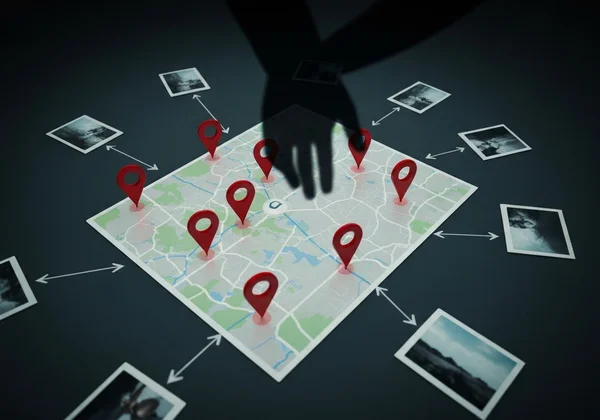
When combined, this information doesn’t just show where you were; it paints a detailed picture of your daily routines, your favorite places, your home address, and even your travel patterns. For a determined individual, this data is a roadmap to your life, built from the photos you freely share.
How Easily Can Someone Access Your Photo's Location Data?
Many people assume that accessing this embedded data requires specialized hacking skills. The unfortunate reality is that it’s incredibly easy. The risk isn't hypothetical; it's a practical vulnerability that anyone with a computer can exploit, making photo location privacy a critical concern for everyone.
Simple Tools for Viewing Embedded Geotags
You don’t need to be a tech expert to view geotags. Most operating systems, like Windows and macOS, have built-in features to display this information. Simply right-clicking an image file and selecting "Properties" or "Get Info" can reveal a wealth of EXIF data, including GPS coordinates. Furthermore, numerous free online tools and browser extensions exist that can extract and display this sensitive information in seconds, often plotting it directly on a map.
Real-World Privacy Risks of Sharing Geotagged Photos
Sharing photos with intact geotags exposes you to significant real-world dangers. Consider these scenarios:
- Revealing Your Home Address: Posting photos taken at home can broadcast your address to the public, creating risks of stalking or burglary, especially when combined with posts indicating you're away on vacation.
- Endangering Children: Photos of your children at their school or a local playground can reveal their daily locations, putting them at risk.
- Exposing Routines: A collection of your photos can show a pattern of your movements—your daily commute, your gym, your favorite coffee shop—which could be exploited by malicious actors.
- Compromising Professional Integrity: Journalists, activists, or researchers working in sensitive areas could inadvertently reveal their sources or locations, jeopardizing their work and safety.
Protecting your location is a crucial step in maintaining your overall online security. Fortunately, there are straightforward ways to take back control.
Practical Steps to Hide Location Data in Photos
Now that you understand the risks, the next logical question is how to hide location in photos. Taking control of your digital footprint is easier than you think. You can manage this data both on your device and by using powerful online tools designed for privacy.
On-Device Options: Managing Geotags Before You Share
The first line of defense is your device itself. You can prevent location data from being saved in the first place by adjusting your camera settings.
- On iPhone: Go to
Settings > Privacy & Security > Location Services. Find theCameraapp and set its location access to "Never." - On Android: The steps can vary by manufacturer, but generally, you can open your
Cameraapp, go into itsSettings, and look for an option like "Location tags," "GPS tag," or "Save location" and turn it off.
While this is a great preventative measure, it doesn't help with the thousands of photos you've already taken.
The Easiest Solution: Use a Metadata Remover to Instantly Clean Photos
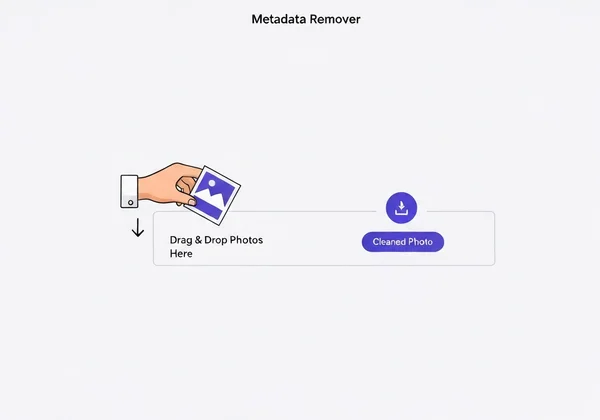
For a foolproof, fast, and completely secure method, the best approach is to use a dedicated metadata remover. This is where our free tool comes in. Our free online tool provides a simple, drag-and-drop interface that instantly strips all metadata, including geotags, from your images before you share them.
Our service is built on three core principles:
- Ultimate Security: We prioritize your privacy above all. Your images are processed instantly and are never stored on our servers. The entire process is designed to be completely private.
- Effortless Simplicity: You don't need any technical knowledge. Just upload or drag your photo onto our homepage, and the tool automatically cleans it. You can then download the metadata-free version in seconds.
- Complete Accessibility: The tool is 100% free and requires no registration or software installation.
By using an online metadata remover, you ensure every photo you share is clean, safe, and protects your sensitive information. It’s the most effective way to secure your photos and share memories with peace of mind.
Building a Habit of Photo Location Privacy
True digital safety isn’t about a one-time fix; it’s about developing consistent, privacy-conscious habits. Making metadata removal a standard step in your photo-sharing workflow is essential for long-term protection.
Reviewing Social Media Location Settings and Policies
Many social media platforms claim to strip metadata from uploaded photos, but policies can change, and it's not a risk worth taking. More importantly, check your settings for location-based services on platforms like Instagram and Facebook. Avoid manually tagging your precise location in posts, especially if it's your home, workplace, or other sensitive areas. A proactive approach to your settings is a key part of a robust privacy strategy.
Why Regular Metadata Checks Are Essential
Device updates or new app installations can sometimes reset your camera's privacy settings without you realizing it. Before posting a sensitive photo, it's a good practice to double-check it. Making a quick trip to remove location data part of your routine takes only a few seconds but provides an invaluable layer of security. This simple habit ensures you remain in complete control of the information you share with the world.

Take Control of Your Photo Privacy Today
The photos you share are windows into your life, but they shouldn't be open doors for privacy invasions. Geotags are a serious vulnerability that can expose your home, your family, and your routines to the world. While you can adjust device settings as a first step, the most reliable way to ensure your images are safe is to scrub them clean of all identifying metadata before they ever go public.
Don't leave your personal safety to chance. Adopt the simple habit of cleaning your photos. Visit our online tool to drag, drop, and download your secure image in seconds. It’s fast, free, and the smartest way to share your memories without sharing your secrets.
Your Questions About Photo Location Data Answered
What is metadata in a photo, and how does it relate to geotags?
Metadata is "data about data." In a photo, it includes information like the camera model, exposure settings, date, time, and sometimes, location. Geotags are the specific part of the metadata that contains GPS coordinates, making them a critical element to manage for privacy.
Why is it important to remove location data from images?
Removing location data from images is crucial for protecting your personal safety and privacy. It prevents strangers from discovering your home address, your children's school, your travel patterns, or other sensitive locations. This simple action helps prevent potential stalking, theft, or other malicious activities.
Is it safe to remove geotags from photos using an online tool?
Yes, but only if you use a trustworthy service. A safe online metadata remover is designed with a strict privacy-first policy: we never upload, save, or store your images. The entire metadata removal process happens instantly, ensuring your files remain yours and yours alone. Always choose a provider with a clear and transparent privacy policy. You can try our metadata remover with confidence.
How do I delete EXIF data, including geotags, from my pictures?
While you can sometimes remove EXIF data using desktop software or by disabling location services on your phone for future pictures, the easiest and most comprehensive method is to use a dedicated online tool, like an EXIF remover. Using our platform, you can simply upload your photo, and the tool will automatically strip all EXIF data—including geotags—letting you download a clean version immediately.